Generate usage reports
SPRUCE takes the billing exports produced by the cloud providers as input, either in the provider's native format or in the provider-neutral FOCUS format:
- AWS CUR v2 (Parquet) — the default input (
-p AWS -f NATIVE) - AWS FOCUS 1.2 (Parquet) —
-p AWS -f FOCUS - Azure FOCUS 1.0 (CSV) —
-p AZURE -f FOCUS - Azure EA/MCA cost details (CSV) —
-p AZURE -f NATIVE
This page explains how to set up each export. In all cases you can ask the provider to backfill historical data: AWS via a support ticket, Azure by creating a one-time export for past billing periods.
AWS
AWS exports are generated via Data Exports and stored on S3 as Parquet files. Data Exports can produce both the CUR v2 table and a FOCUS 1.2 with AWS columns table — the steps below are the same, only the export type differs.
AWS Console
In the Billing and Cost Management section, go to Cost and Usage Analysis then Data Export. Click on Create.
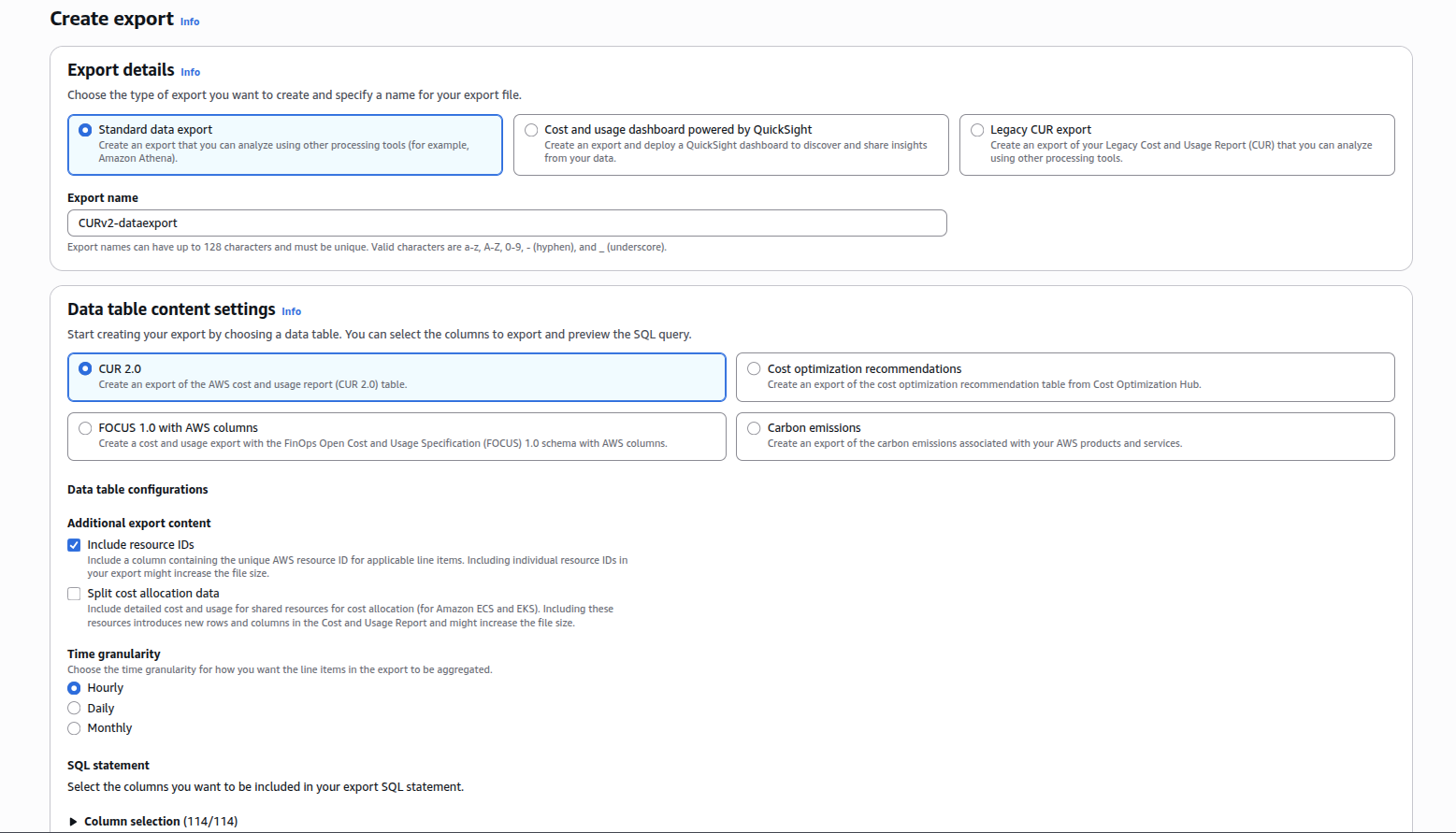
Select the export type: Standard data export with the CUR 2.0 table for a native CUR,
or the FOCUS 1.2 with AWS columns table for a FOCUS export. Make sure to pick the 1.2
table, not the older FOCUS 1.0 with AWS columns one: SPRUCE relies on the SkuMeter
column (introduced in FOCUS 1.1), which the 1.0 export does not carry.
Give your export a name and, for a CUR, click on Include Resource IDs as shown below
Scroll down to Data export storage settings, select a S3 bucket and a prefix.
If you create a bucket, you should select a region with a low carbon intensity like eu-north-1 (Sweden) or eu-west-3 (France), the emissions related to the storage of the reports will be greatly reduced.
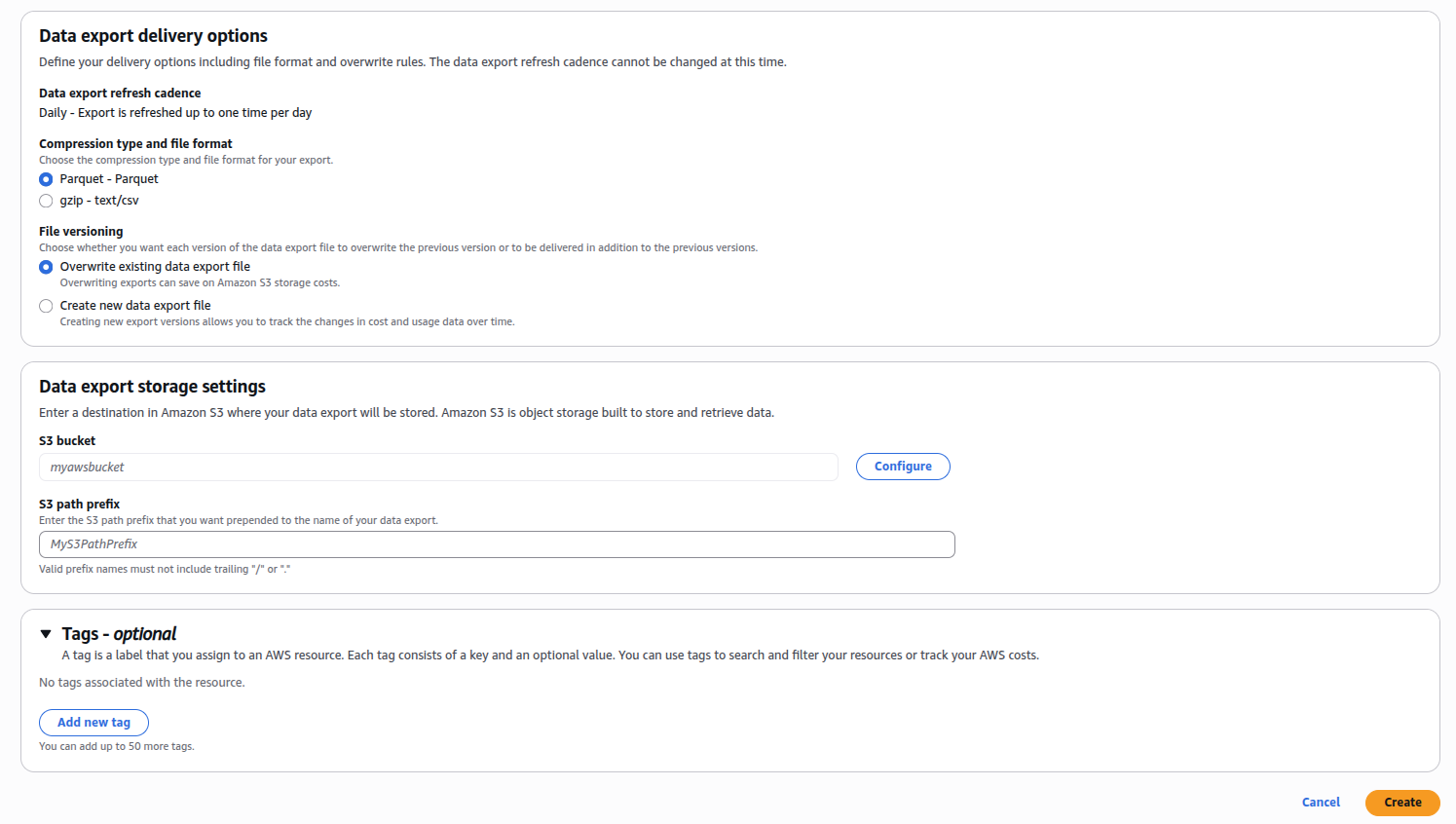
Optionally, add Tags to track the cost and impacts of your GreenOps activities.
Command line
Make sure your AWS keys are exported as environment variables
Copy the script createCUR.sh and run it on the command line. You will be asked to enter a region for the S3 bucket, a bucket name and a prefix.
This should create the bucket where the CUR reports will be stored and configure the Data Export for the CURs.
Azure
Azure exports are generated via Cost Management exports and delivered as CSV files to a storage account.
In the Azure portal, go to Cost Management, select Exports and click on Create. Pick the dataset:
- Cost and usage details (FOCUS) for a FOCUS 1.0 export — the recommended option for SPRUCE
- Cost and usage details (actual) for the legacy EA/MCA cost details format
Choose the frequency (a daily export of the month-to-date costs is a good default), a storage account and a container, then create the export. Use Export selected dates to backfill past billing periods.
Download the CSV files from the storage account (e.g. with azcopy)
and pass the directory to SPRUCE with -p AZURE -f FOCUS (or -f NATIVE for the legacy format).